Square Error: Payment_Not-Authorized - Contact the Developer

This is a somewhat misleading error and is not associated with a specific payment transaction failing. It is to do with an authorization issue with your square account typically as a result of using the wrong account or upgrades to the Square SDK by Square.
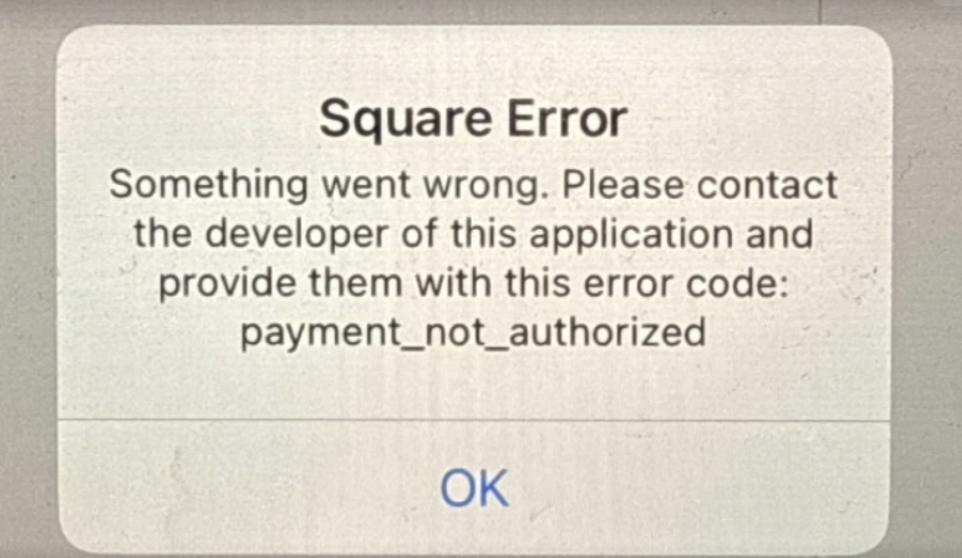

You will need to re-authorize square by force quitting out of the app and then performing a manual Settings Sync and toggle the Authorize Square button to on. This will then invoke the authorization workflow where you will enter your Square backend credentials and authenticate. You then should be able to connect to the Square Reader.
Related Articles
Square Error: Square Reader Connection Error - reader_settings_sdk_not_authorized
All SuitePOS terminals have to be authorized once (on a fresh install or when you change Square accounts) Before you can connect a Square Reader. This is so the Square Reader SDK (which accesses your Square Reader) can authenticate correctly. Failure ...Apple Error: Untrusted Enterprise Developer
When you first install the SuitePOS app on to the device you may get this error. It is an Apple requirement that all enterprise apps must be explicitly trusted. On the device, navigate to Settings/General/Profiles and tap on the Trust Button for ...Square Error: Square Authorization Failed - invalid value for parameter "location_id"
This can occur for a variety of reasons. Most typically it is when the current Location Id on POS Settings is not authorized for the last Square Authorization that was performed. Try re-authorizing Square, after checking you have internet and your ...Custom Payment Method
A custom payment method can be created to allow payments and refunds to be posted to. Not Available for the Salesforce Integration Useful for retailers that accept 3rd party vouchers, allow various return scenarios or need to accommodate ...Square Warning: Location Id Mismatch
This can be displayed during a sync when the Square Authorized Location in SuitePOS does not match the Square Location in POS Settings. This normally occurs when you update the Square Location in POS Settings but have not re-authorized Square. This ...